Every Booth. One Dashboard.
Whether you run three booths or thirty, the cloud dashboard shows you the health of every unit, pushes settings to any booth in seconds, and texts you before a problem becomes a support call.
Know the State of Your Fleet Without Leaving Your Desk
The My Booths view is the command center. Every booth you own appears as a live card, so you can spot the one that needs attention before the client does.
Each card reports what a technician would otherwise drive out to check. No more "is it on?" phone calls to the venue.
PER_BOOTH_TELEMETRY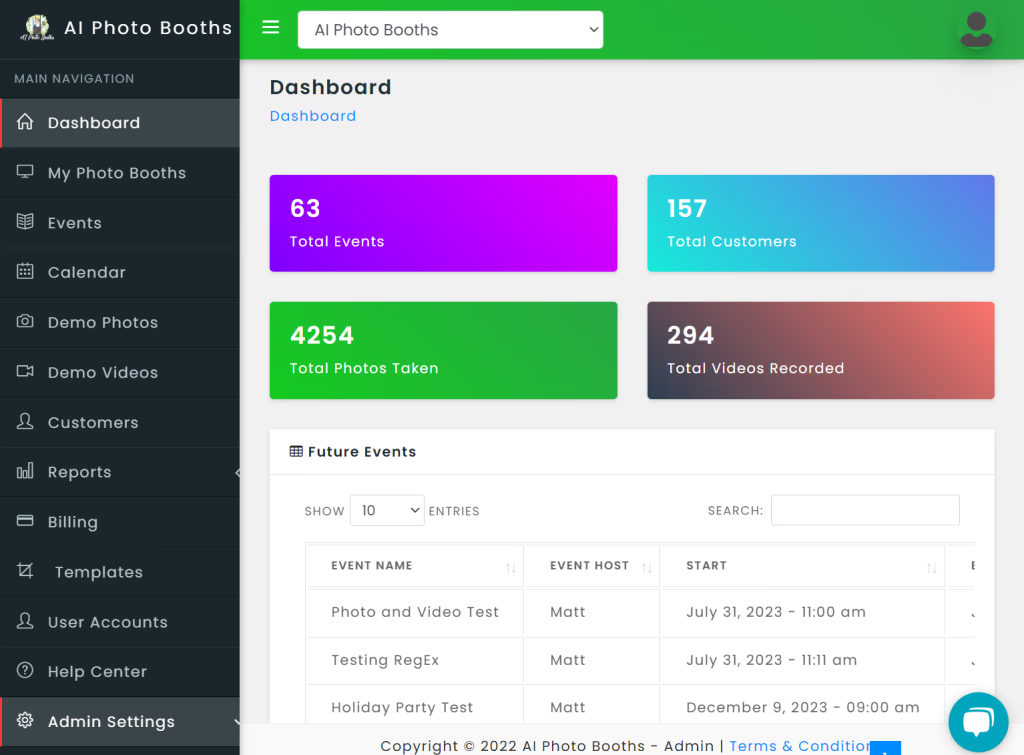
Change Any Booth Setting From Anywhere
Settings are grouped the way operators think about them. Edit in the dashboard and the booth picks up the change over the cloud.
⚙️ BASIC
- Booth passcode
- Default hashtag
- Dark or light theme
- Auto-start from screensaver
🖥️ DISPLAY
- Screensaver behaviour
- Logo upload
- Default templates
- SMS disclaimer text
🖨️ PRINTING
- 2x6 and 4x6 copies, set separately (1–8)
- Print count based on faces in the photo
- Auto-print AI Re-Image results
- Per-event print limits
- Print exit side and printer override
📷 CAMERA
- Countdown length per photo
- Zoom level
Dial in framing for a tight corner at one venue and a wide ballroom at another, all from the same screen.
The Booth Tells You Before the Client Does
Pick who gets emailed or texted for each type of alert. Route offline alerts to your tech, media alerts to whoever restocks, and event alerts to the account manager.
Alerts are the difference between a fleet you babysit and a fleet that runs itself. Most issues get fixed with a phone call to the venue instead of a truck roll.
Still Out of Media?
If a booth runs out of paper and nobody reloads it, the dashboard sends a daily reminder until it's resolved. Nothing slips through.
BOOTH_OFFLINE
Notify after 15 minutes offline, or after 24 hours for booths that sit idle between events.
LOW_PAPER / OUT_OF_PAPER
Get ahead of a media swap while there's still paper in the printer, then again when it hits zero.
EVENT_ADDED / EVENT_CHANGED
Know the moment a client or teammate books or edits an event on any booth in the fleet.
ONE_WEEK_OUT
A heads-up a week before each event so you can confirm media, templates and travel.
EVENT_ENDED
Wrap-up notice after each event ends, so the follow-up and the invoice go out on time.
Printers and Media, Handled In-App
The two things that actually stop a booth are a printer problem and an empty paper roll. Both are solved from the dashboard.
Printer Swap
Move a printer between booths at the same location in two clicks. A live sync badge confirms when the booth has picked up the new assignment, so you know it worked before you hang up with the venue.
Ideal for venues running multiple booths where one printer needs service and the show must go on.
Order Media Without Leaving the Dashboard
Order paper and ribbon from inside the app. You get a shipping confirmation, a full order history, and tracking numbers for every shipment.
Pair it with low-paper alerts and you'll reorder before you ever run dry.
One Calendar for Every Booth You Own
Schedule, reschedule and audit events across the whole fleet. The booth syncs automatically, so what you see in the dashboard is what runs on site.
Photo Booth
Video Guest Book
Boomerang
GIF
EVENT_SETUP
- Event name and host contact
- Start time and length (30 min to 3 h)
- Hashtag, 2x6 or 4x6, print limit
- SMS delivery and Facebook upload
- Up to 10 custom video guest book prompts
FLEET_CALENDAR
- One calendar across all booths and locations
- Reschedule ended events; the change syncs to the booth
- Demo events for sales calls and staff training
- Pre-event and post-event host messages sent automatically
PER_EVENT_LOGS
- Guest list
- Text and email message log
- Host page opens
- Change log for every edit to the event
Give Your Team Exactly the Access They Need
Add attendants, sales reps, designers and bookkeepers as team accounts, each with granular permissions. Your designer can edit templates without touching billing. Your attendant can run events without deleting media.
Running booths in more than one city, or under more than one brand? Switch between locations and companies from a single login.
GOOGLE_SIGN_IN
Sign in with Google. No extra password to manage or reset.
TWO_STEP_SMS
Optional two-step SMS codes, switched on per location.
The Business Side Lives Here Too
💳 Stripe Billing
Card billing through Stripe with downloadable invoices and a clear view of your AI credit usage. Connect your own Stripe account to keep gallery sales revenue flowing straight to you.
📚 Built-In Help Center
A searchable Help Center with step-by-step walkthrough articles sits inside the dashboard. When you need a human, open a support ticket and track it to resolution.
🟢 Platform Status
A public status page shows platform health in real time, so you can rule out the cloud before you troubleshoot a booth.
status.aiphotobooths.com →Fleet Management in Three Steps
Booths Check In
Every booth reports status, prints, paper, temperature and version to the cloud. The moment it's online, it's on your My Booths screen.
Configure Once, Push Anywhere
Set printing, camera, display and branding defaults from the dashboard. Add events to the fleet calendar and the booth syncs them automatically.
Let the Alerts Find You
Route offline, media and event alerts to the right people. Swap a printer or reorder media in-app, and spend your drive time on new business instead.
Built for Operators Who Own More Than One Booth
Rental companies and multi-location venues scale on how many booths one person can keep running. This is how you raise that number.
Check status, change settings and swap printers remotely. Drive out when a booth needs hands, not eyes.
Alerts reach you before the client notices. Most issues are fixed before anyone picks up the phone.
Same templates, same print rules, same branding on every booth, because they all pull from one source of truth.
Add a booth, a location or a whole second brand without adding a second login or a second process.
Run Your Whole Fleet From One Screen
Tell us how many booths you run and where. We'll show you the dashboard with your fleet in mind and walk through pricing.